

What happens when you hold a card to a waste container
The decision is made in the reader, it keeps working without coverage, every card use is logged, and one device can serve several fractions. How waste container access control works and where it makes sense.
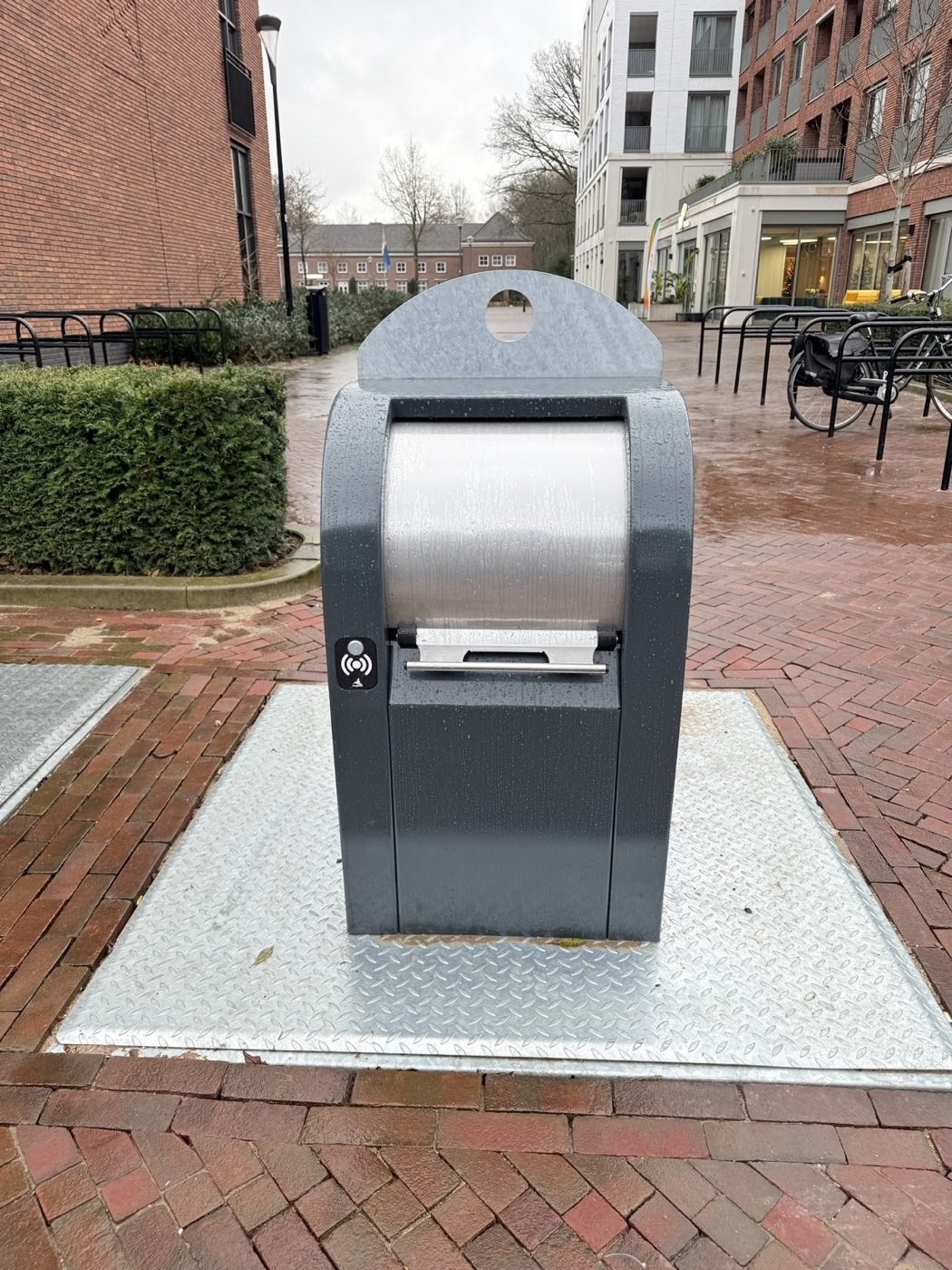
A resident holds a card to the reader and, about a second later, a green light comes on. The lock releases and the resident lifts the flap.
From the outside, that is all there is to it. In that second, though, the reader has to recognise the card, check the permission, make a decision and record the event — even when there is no mobile coverage nearby. That is what makes the system dependable day to day.
What is actually being controlled
Access control answers a single question: who may open this container. The lock releases only for a card or key fob on the list of authorised users. Residents can often use contactless cards or fobs they already have.
The system does not look inside the bag, weigh the waste or judge the sorting. It records which card was used and when — not what went into the container. That is enough to stop the container being anonymous. The costs that uncontrolled access to a container can cause are covered on the page on how to prevent unauthorised waste disposal.
The decision is made in the reader, not in the cloud
The list of authorised cards is held in the reader's own memory, alongside a separate list of service cards. The reader checks the card against that list and decides by itself whether to release the lock. It does not ask a server or wait for a reply.
So the container opens according to the stored list even where coverage is weak or temporarily gone, and a server outage does not lock residents out.
The reader's answer is simple: green means the lock is released, red means no permission.
Online or Offline: the difference is in management
Connectivity is not needed to open the container, only to manage it. Hence two versions:
| Online | Offline | |
|---|---|---|
| Access decision | In the reader | In the reader |
| Changing the card list | From the panel, applied at the next sync | On site, with a technician's phone or a service card |
| History | In the panel, after each sync | Optionally in the device memory, read during a visit |
| Subscription for platform and data | Yes | No |
A battery-powered device does not hold a permanent connection — that would drain the battery fastest. It connects periodically: at least once a day, overnight, and sooner when more events have built up or a technician uses a service card. The mains-powered version sends events straight away.
The full comparison — costs included, and why switching versions after deployment is not a one-click change — is in Online or Offline — which access control version should you choose.
When coverage drops out
The container opens as normal, because the card list is in the reader.
Events from that period wait in non-volatile memory, which has room for several weeks of them. When the connection returns, the reader sends the backlog by itself and clears it from memory only once receipt is confirmed. If an outage lasted longer than the memory can hold, the oldest events would be overwritten.
Changes made in the panel, such as removing a lost card, wait for the connection.
If the electronics themselves fail — a flat battery, for example — every installation has a manual emergency release for service staff, so the container never holds up waste collection.
History: what it shows and what it doesn't
In the Online version — and in Offline with event logging switched on — every card read, accepted or refused, goes into the history with the card number, the time and the device. Technicians' actions are recorded too. In the Online version the history sits in the panel, and an API can pass it on to a system the operator already uses — a billing system, for instance.
The reader stores card numbers and the event history, with no names or addresses. The link between a card number and a person stays with the data controller — the municipality, the property manager or the operator.
The history shows which card was used. That does not reliably identify the person using the container — cards get lent and lost — nor is it proof of what was in the bag. But it is information an anonymous container simply does not have.
Access control doesn't know what went into the container. It knows which card opened it and when — and an anonymous container doesn't even know that.
Several fractions at one point
A bin store usually holds several containers side by side, and a separate reader on each means several devices, batteries and service points. iCober MultiLock controls up to five independent locks from one device: the user selects the fraction, presents the card, and the system releases the lock on the right flap. That is how the bin store in Sianów works.
Fitting into containers already in place
We mount the device inside the container and power it from a replaceable battery, so no power supply or network has to be brought to the site. The standard battery lasts up to 2 years at 50 openings a day, and the larger one up to 5 years at the same usage. In the Online version, how often the device connects and how good the coverage is also play a part.
It can usually be done in a container that is already in place. Whether yours is suitable is settled by photos and dimensions, which we assess remotely before you order anything.
Where it makes sense
Not every container needs locking. In Vinkovci, fill-level monitoring covered the whole network, while access control went only to the points where it solved a real problem.
Access control makes the most sense when:
- the container stands where outsiders can reach it — by a road, a car park or a shop — and other people's waste ends up in it,
- several organisations share one collection point and need to be told apart, as at the Przelewice Arboretum,
- the contents are worth something, as with the textile container in Gdynia,
- the problem is one location, not the whole network — in Soesterberg, access control went onto a single critical spot.
Where to start
We usually recommend starting with a few points — where the problem hurts most — and deciding on scale after a few months of data. New devices join the same panel, and residents' cards only need to be authorised at new points — they don't have to be reissued.
Does other people's waste end up in your containers? See how to prevent unauthorised waste disposal with access control, or write to us with how many containers need securing and who should have access.
Specifications and a comparison of both versions: iCober SAC.